




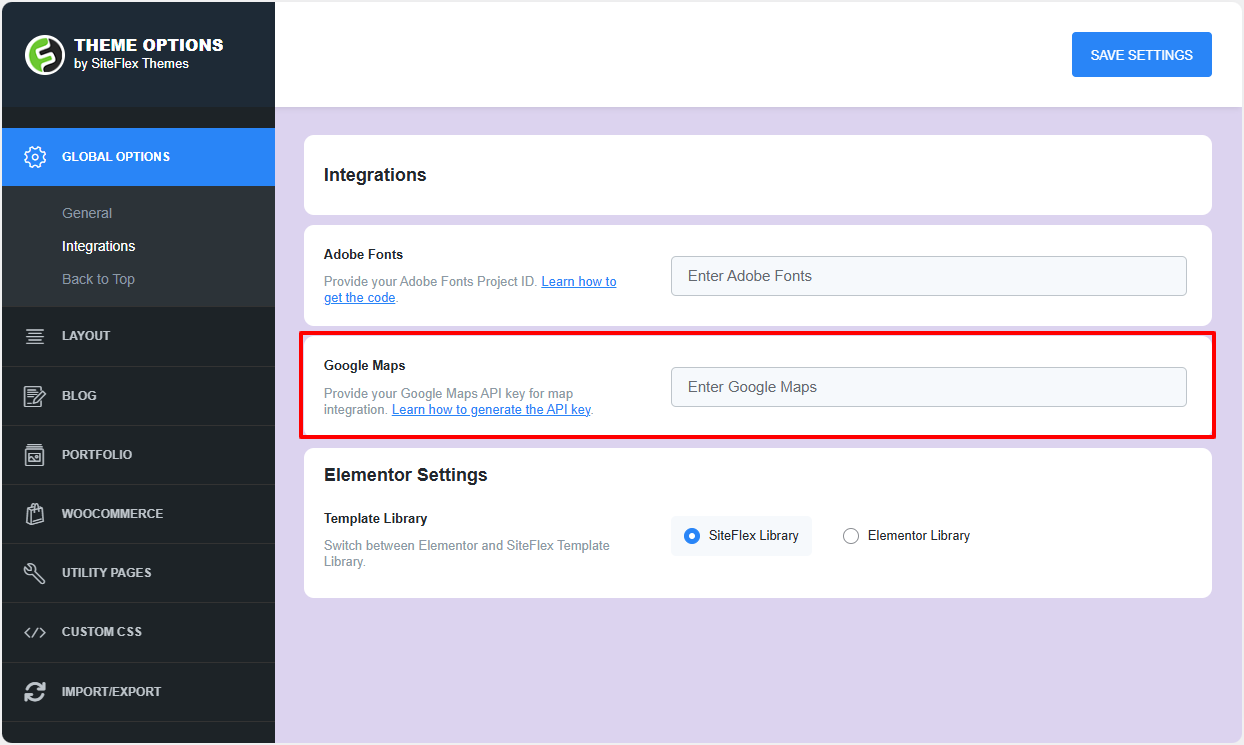
In order to use the Google Maps widget, you need to add a Google Maps API key:
-
Go to your site admin area.
-
Navigate to Theme Options -> Global Options -> Integrations.
-
Add the Google Maps API key.
How to get an API key:
-
Go to the Google Cloud Platform Console. You should be able to access this page after you log in with your Google account.
-
Click the project drop-down and select or create the project you want to add an API key.
-
Click the menu button and select APIs & Services > Credentials.
-
On the Credentials page, click Create credentials > API key. The API key created dialog displays your newly created API key.
-
Click Close. The new API key is listed on the Credentials page under API keys.
(Remember to restrict the API key before using it in production.)

